

I don’t really know much about M.2 slots and the different capabilities and how the key type corresponds, so I don’t want to spend money on something that won’t work.
There’s an unused slot on the motherboard marked ‘M.2 PCIe / SATA1’. I believe it’s M-keyed.
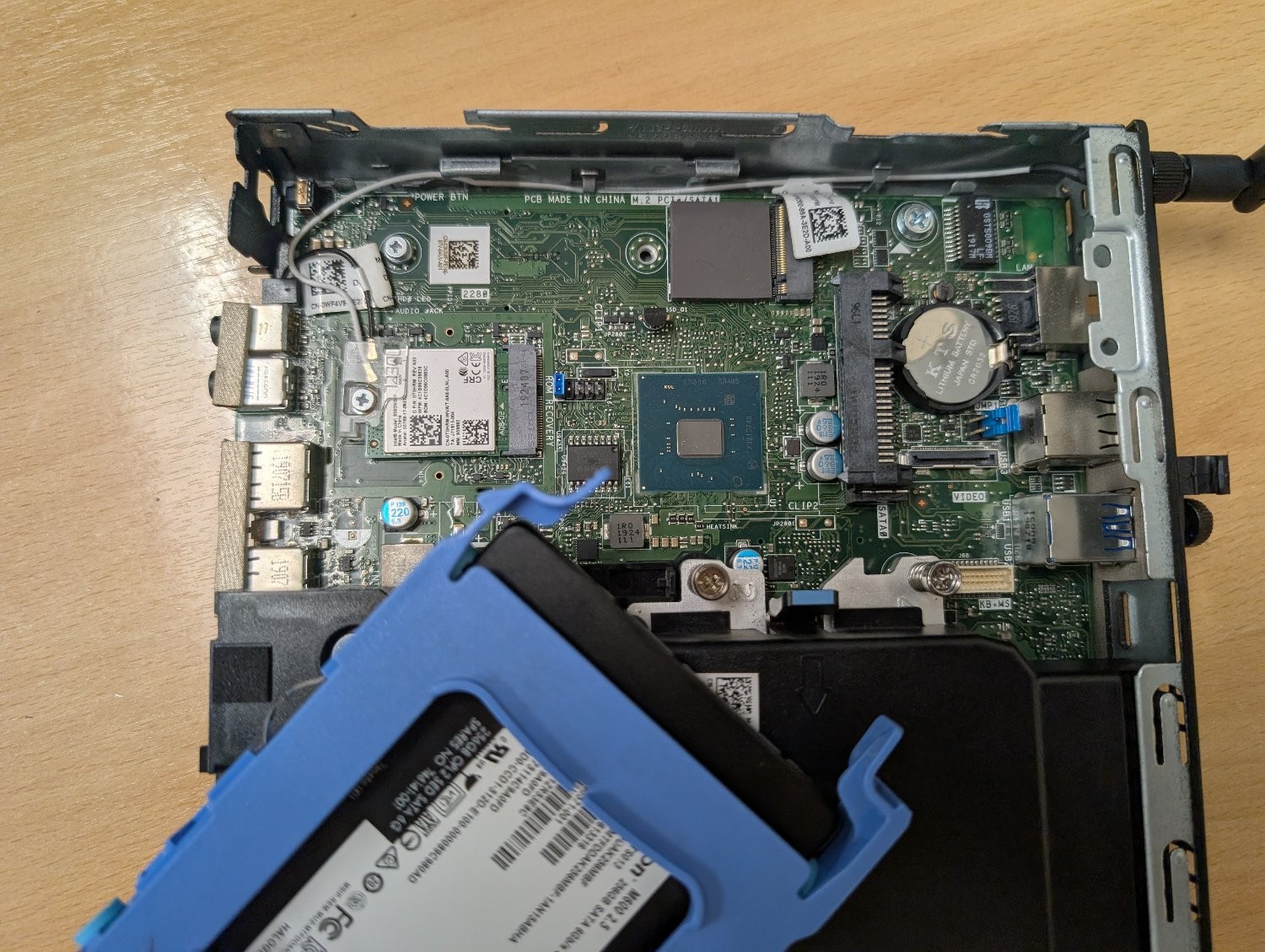
Can it be used with an M+B keyed adapter like this one? Or will it physically fit, but the socket itself isn’t wired to work with an ethernet adapter? Is there a command I can run to figure out the capabilities of that slot?
My plan is to use this machine as an OpenWrt router to replace the shitty Linksys one my ISP supplied, but it would obviously need a second ethernet socket. My home wifi is dealt with by a TP-Link mesh network, so I don’t need it to have wifi and bluetooth. I could use the slot that the networking card is using, but if I can retain those then that would be ideal for any future flexibility I may need.
This is the result of dmidecode
root@OpenWrt:~# dmidecode -t slot
# dmidecode 3.5
Getting SMBIOS data from sysfs.
SMBIOS 3.1.1 present.
Handle 0x0026, DMI type 9, 17 bytes
System Slot Information
Designation: SLOT1_M.2
Type: x4 M.2 Socket 3
Current Usage: Available
Length: Long
Characteristics:
3.3 V is provided
PME signal is supported
Bus Address: 0000:ff:1f.7
Handle 0x0027, DMI type 9, 17 bytes
System Slot Information
Designation: SLOT2_M.2
Type: x1 M.2 Socket 1-SD
Current Usage: In Use
Length: Short
Characteristics:
3.3 V is provided
PME signal is supported
Bus Address: 0000:ff:00.0
As far as I can tell, the top one is the M.2 in question, so it’s a 4 channel PCIe slot. Running -t connector doesn’t show that slot at all, presumably because it’s not got anything connected to it currently.
I’ve order a cheap(ish) adapter that should arrive today, so I’ll bung it in and report back.