

I don’t really know much about M.2 slots and the different capabilities and how the key type corresponds, so I don’t want to spend money on something that won’t work.
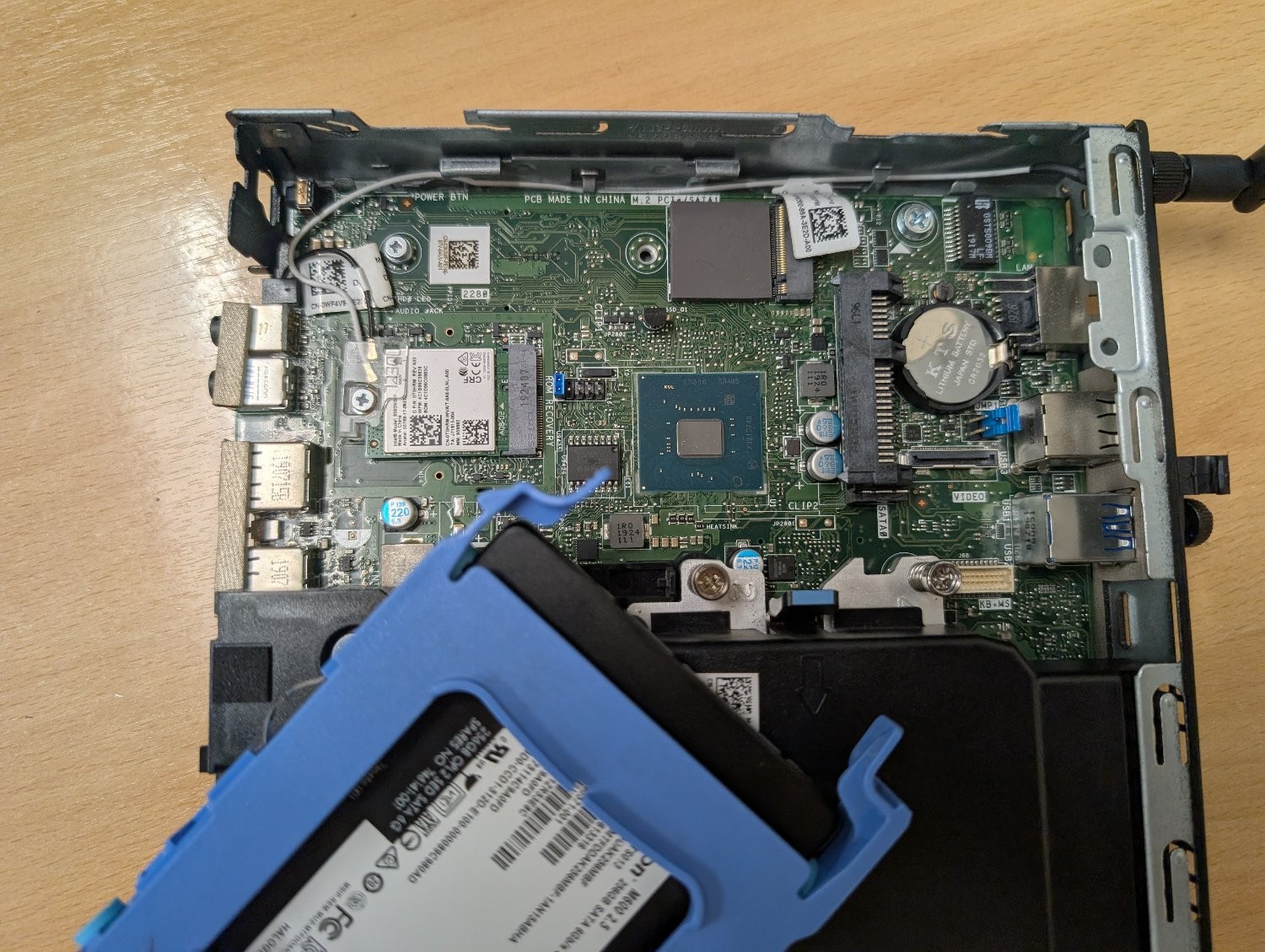
There’s an unused slot on the motherboard marked ‘M.2 PCIe / SATA1’. I believe it’s M-keyed.
Can it be used with an M+B keyed adapter like this one? Or will it physically fit, but the socket itself isn’t wired to work with an ethernet adapter? Is there a command I can run to figure out the capabilities of that slot?
My plan is to use this machine as an OpenWrt router to replace the shitty Linksys one my ISP supplied, but it would obviously need a second ethernet socket. My home wifi is dealt with by a TP-Link mesh network, so I don’t need it to have wifi and bluetooth. I could use the slot that the networking card is using, but if I can retain those then that would be ideal for any future flexibility I may need.
I’m in a rush but ive put Ethernet cards in both slots of my optiplex 3080 m.2 slots. The top right slot is vanilla and 4xpcie lanes,full speed. The bottom left is A+e keying and only 1x lane which is enough for 2.5gig Ethernet. This is ultimately what i used. For my prfesene box I added a second card, a 2 port Ethernet card to the top right m.2 slot and made it a four port beast.
Ok sorry its been a busy day but here are the things I ordered and all work:
This one adds two ports, uses the M keyed slot, top right. I do not recommend this one because there is no way to mount the ports. You’ll have to zip tie it like I did. Very sloppy.
This one is what I’d recommend, it will take full use of that 1xPCIe 3.0 lane and fits the A+E slot. The RJ45 will screw nicely into the back of the chassis. FYI this is not EXACTLY what I bought but looks pretty much the same. If you want to use this with pfsense you might consider an Intel based chipset but i used Realtek fine on my setup.
Godspeed!